Home Assistant — add-on and cards
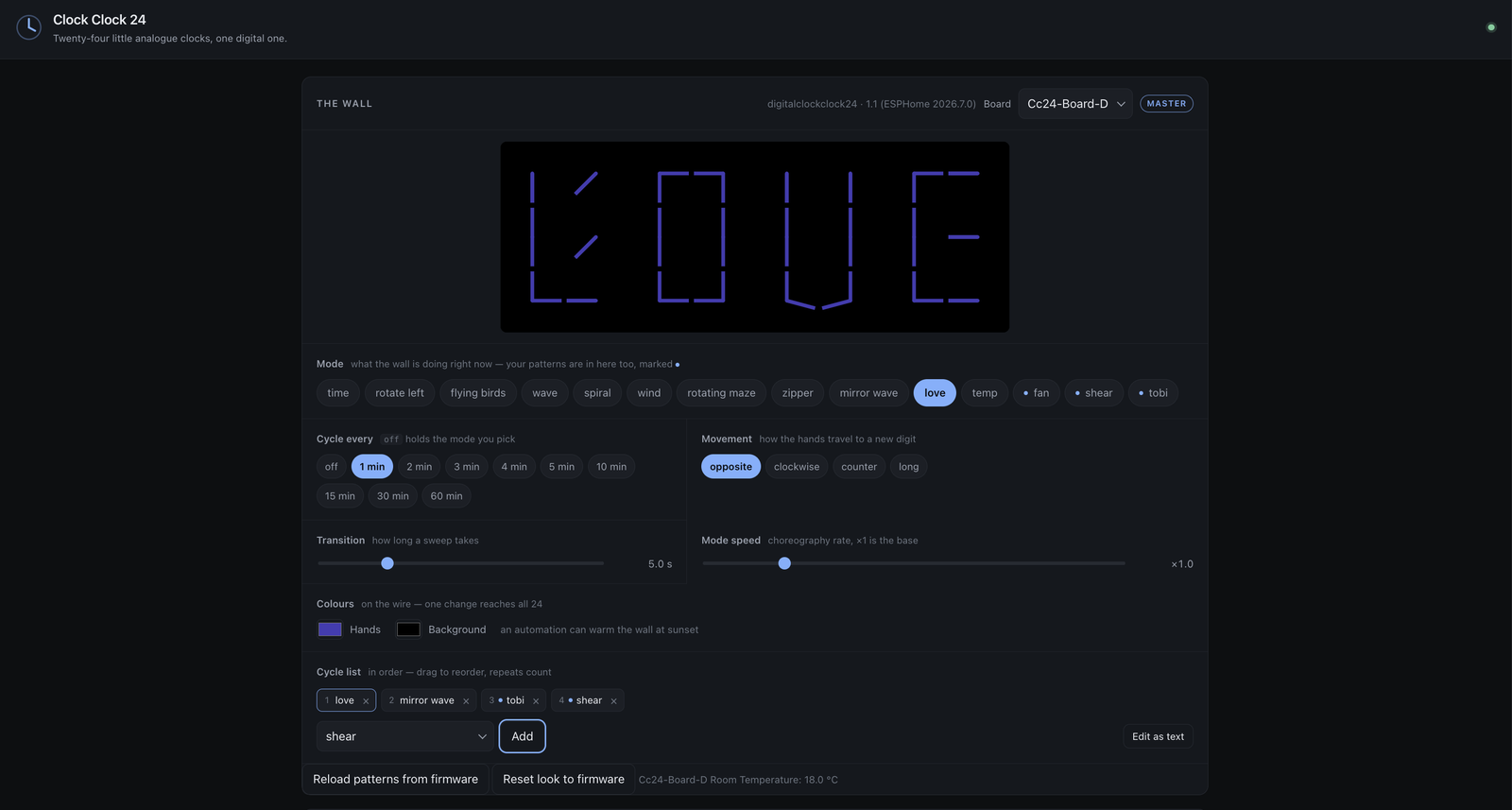
↑ The panel, driving a real wall. fan, shear and tobi are patterns drawn
in the editor and sent to the master — they sit in the Mode list beside the
built-in choreographies.
Everything Home Assistant lives here: an add-on that puts the pattern editor in the sidebar and writes patterns straight to the wall, and the two Lovelace cards it ships with.
A pattern is data, not firmware — one line of text describing where all 48 hands start and how each one turns. So sending a new one costs a paste, not a recompile. This add-on is built entirely around that: no YAML generation, no compiling, no flashing.
Install
Settings → Add-ons → Add-on store → ⋮ → Repositories, and paste:
https://github.com/tuct/esphome-lvgl-clock
Digital Clock Clock 24 appears in the store. Install it, start it, and it is in the sidebar — Ingress, so there is no port to open and no second login.
What it does
| Runs a real wall | Mode, cycle list, cadence, movement, sweep length, choreography speed and both colours — as chips and sliders rather than rows of fields. All set on the master, broadcast to the other seven boards, and saved to flash |
| Draws patterns | The firmware’s own engine in the browser. Pose the hands, set each turning, press Send, and 24 real clocks have it a second later |
| Runs without a wall | A dashboard card, and full-screen displays for tablets — see Run it on a screen |
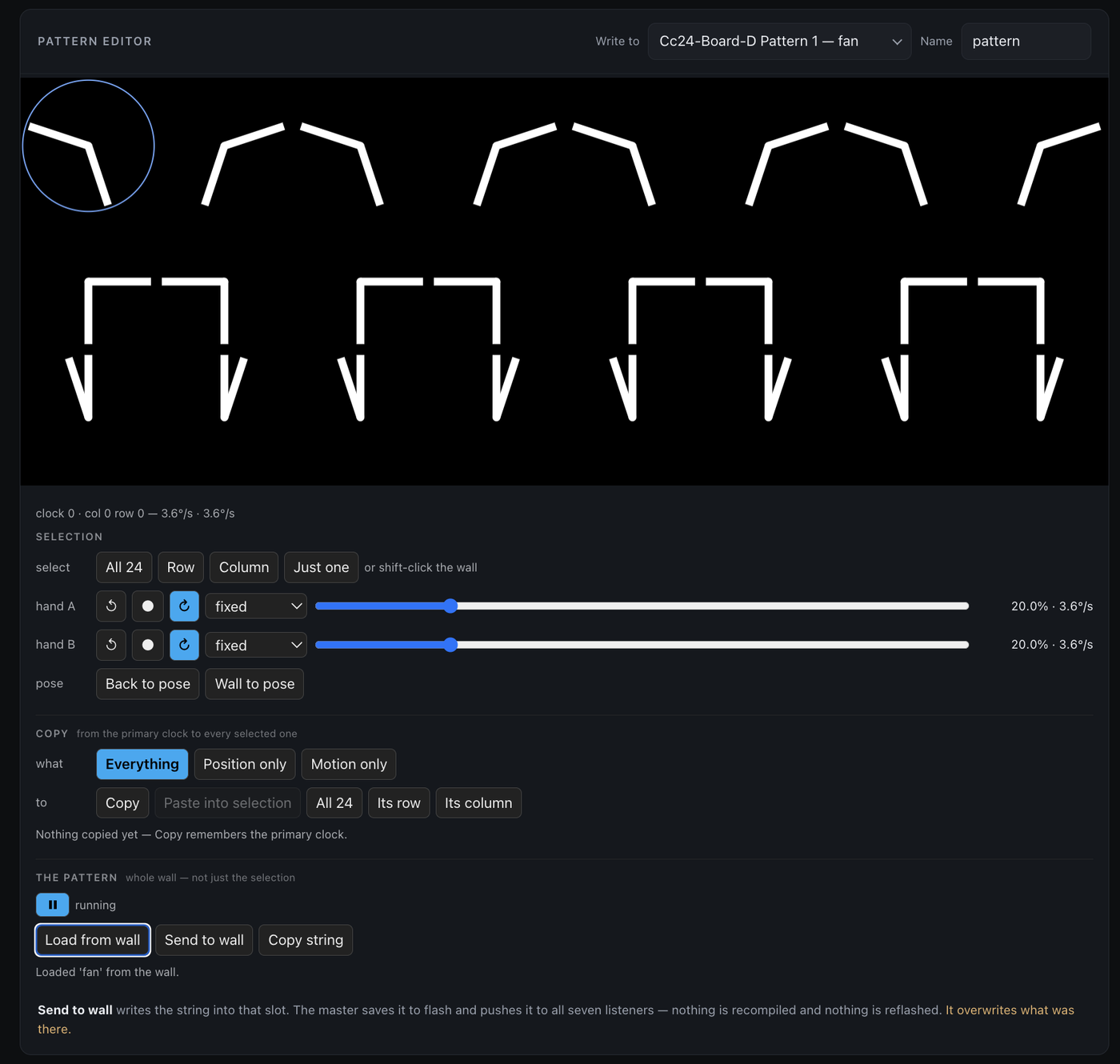
↑ Editing fan, pulled back off the wall with Load from wall.
Two things worth knowing before you install:
It finds your master by itself. board_d.yaml declares
project: name: "tuct.digitalclockclock24", which Home Assistant registers as
device model digitalclockclock24. The Board dropdown matches on that
rather than guessing at entity names — so there is nothing to configure, and a
wall flashed before that marker existed needs one reflash of the master.
It installs the cards for you. On start it drops clockclock24-card.js
into /config/www, so the clock card and the editor card are at /local/ with
nothing downloaded by hand. Turn install_card off and /config is never
written to.
→ Add-on reference — every control, both cards, the options. For the hardware, see the build guide.
Why the add-on is this folder
The Supervisor scans a repository’s top-level directories for one
containing config.yaml. An add-on at homeassistant/something/ would never
be found — so homeassistant/ is the add-on, and the cards live inside it.
Layout
homeassistant/
  config.yaml  Dockerfile  run.sh     the add-on
  app/server.py                       stdlib HTTP server, port 8099
  app/www/                            GENERATED by build.sh - never edit
  cards/card.js                       the clock card
  cards/editor-card.js                the pattern editor card
  build.sh                            stages app/www from the single copies
app/www/ is a copy — Docker cannot reach outside its build context. Run
./stage.sh after changing a mode or a card and it re-stages from
tools/clockclock24-sim and cards/.
./stage.sh
CC24_ROOT=$PWD/app CC24_CONFIG=/tmp/x CC24_OPTIONS=/nonexistent \
  python3 app/server.py            # runs on :8099, without Home Assistant