showreel open the pattern editor →
Digital Clock Clock 24
🕐 Open the live site → tuct.github.io/esphome-lvgl-clock
The whole wall running in your browser, the pattern editor, and every page below with search. Same engine as the firmware — nothing to install.
A physical ClockClock 24 — a digital clock built out of twenty-four little analogue ones, where the hands sweep into position to form the digits and spend the time in between doing something else entirely.
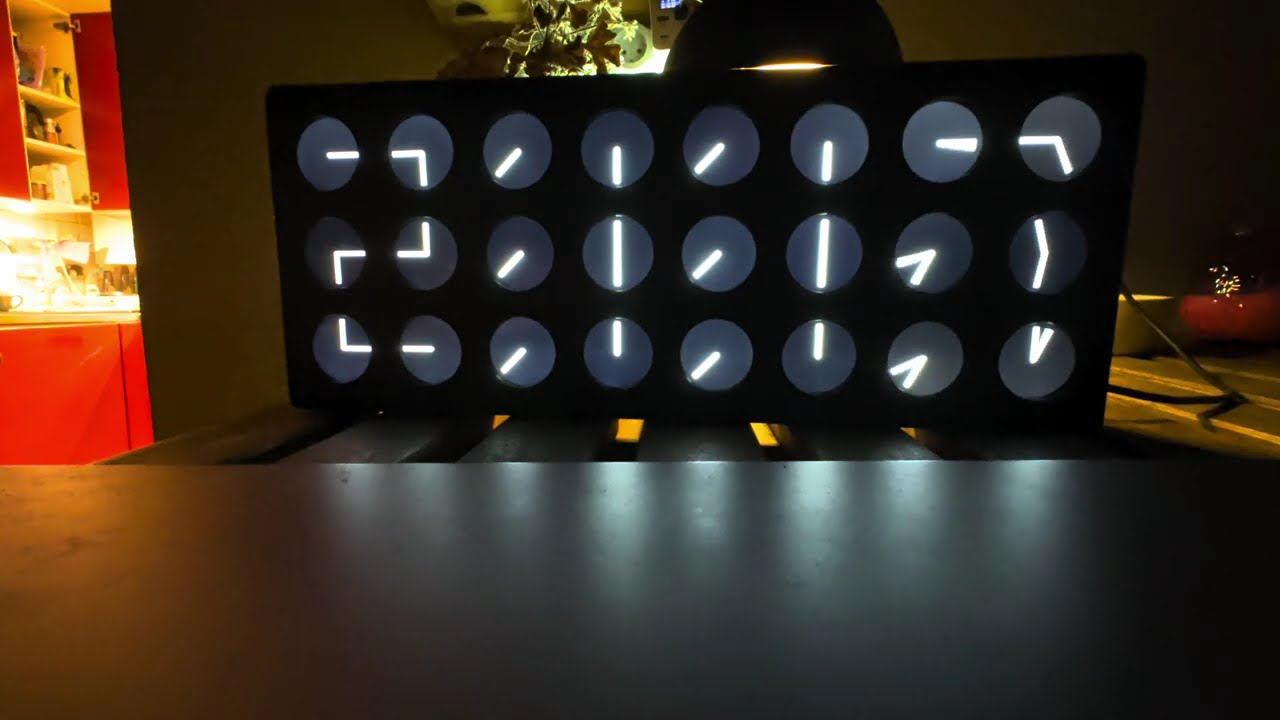
↑ The finished wall, running. Watch it.
The original is a beautiful, expensive piece of kinetic art. I fell for the concept years ago and started coding a version for an ESP32 — first as something to run full-screen on a tablet, then on four rectangular panels, one per digit, where the gaps between the digits ended up wider than the gaps between the clocks inside them. Getting rid of that gap meant the crazy option: 24 round displays, one per clock. It worked. About €210 of panels and eight £5 microcontrollers, driven by ESPHome, and it hangs on two screws.
What you can do with it
Run a ClockClock 24 — on real hardware with 24 round panels, or on any screen you can point at a URL. Both run the same engine, so they are the same clock rather than two impressions of one.
| Run it on a screen | Tablet, Home Assistant dashboard, any browser. No hardware, nothing to install |
| Build it — 24 round screens | The real thing. 24 panels, 8 boards, no gaps. Running on hardware |
| Build it — 4 screens | A sixth of the displays, at the cost of a gap between the digits |
| Control it from Home Assistant | The add-on: mode, colours, speeds, cycle list, automations |
Make it do something new — the wall breaks into a choreography every minute, and you can draw your own without compiling or flashing anything.
| What it does — modes and patterns | The eleven built-in choreographies, and how patterns work |
| The pattern editor | Draw one, press Send, 24 clocks run it a second later |
| Try it now → | The whole wall in your browser, running the firmware’s own engine |
Underneath it is all one ESPHome widget —
lvgl_clock.
Run it from Home Assistant
The add-on is how a finished wall is meant to be used. One sidebar item, and it finds your master by itself.
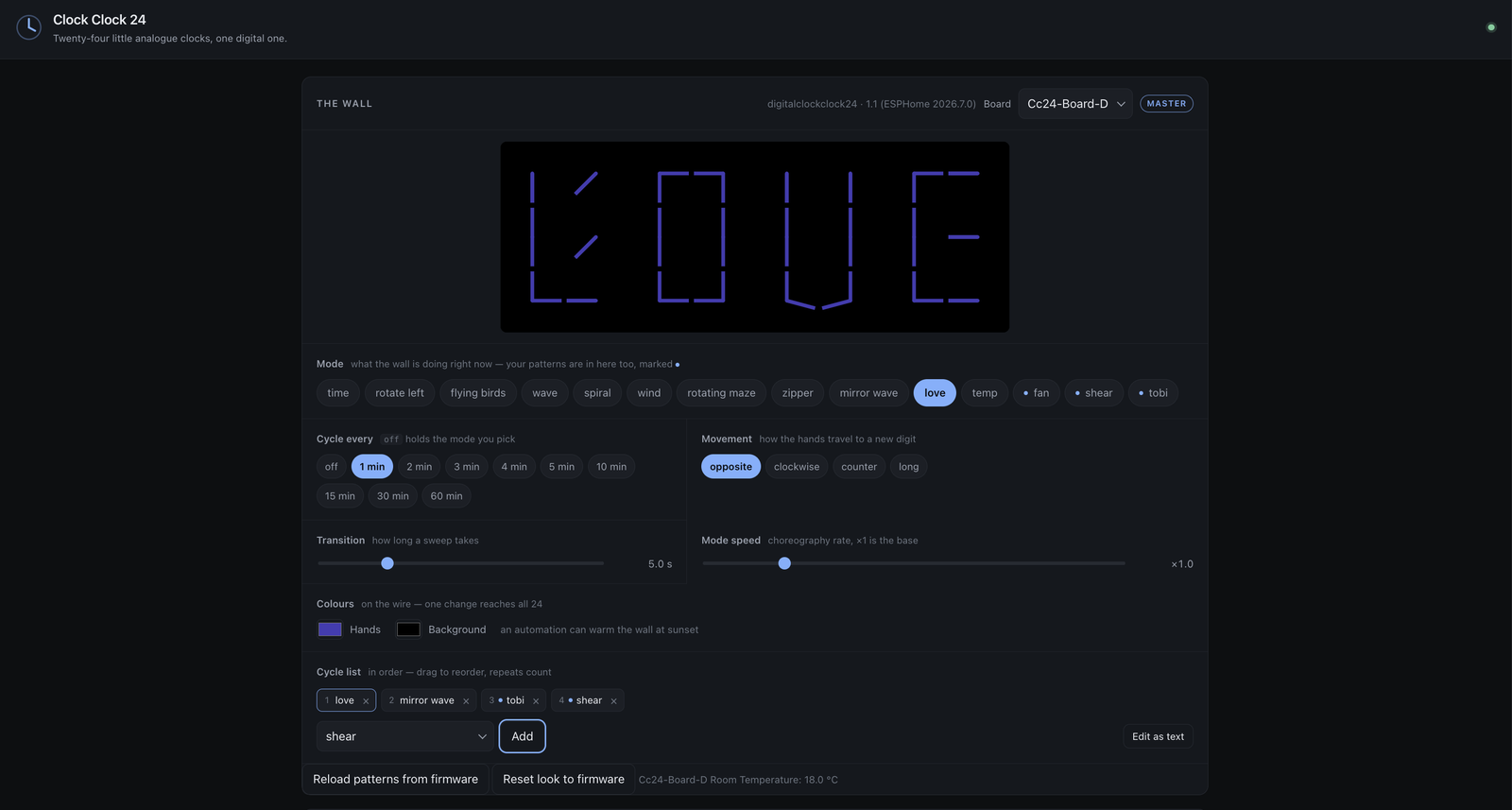
↑ Driving a real wall. The preview is the wall’s own engine, so it is showing
what the wall is showing — here, love. fan, shear and tobi are patterns
drawn in the editor and sent to the master; they sit in the Mode list beside the
built-in choreographies and drop into the cycle list like any of them.
| Drive it | Mode, cycle list, cadence, movement, sweep length, choreography speed, hand and background colour — live, on the wire, all 24 clocks in one packet |
| Draw for it | The pattern editor, wired straight to a slot on the master: pose the hands, set each one turning, press Send |
| Automate it | Every control is an ordinary entity, so amber and slow at sunset is two service calls |
| Show it | A dashboard card, and full-screen pages for wall tablets — with or without hardware |
Send is the whole point: the master saves the pattern to flash, pushes it down the sync bus, and 24 real analogue clocks are running it a second later, with nothing recompiled and nothing reflashed — not even the master. That is what the single-master design is for.
Every control is an ordinary Home Assistant entity, so the wall automates like anything else in the house. Warming the hands to amber at sunset and slowing the choreographies down is two service calls:
- service: text.set_value
  target: { entity_id: text.cc24_board_d_hand_colour }
  data: { value: "#ff7a2f" }
- service: number.set_value
  target: { entity_id: number.cc24_board_d_mode_speed }
  data: { value: 0.6 }
Because the colour goes out as one broadcast, all 24 clocks turn together on the same frame rather than sweeping across the wall board by board.
→ Add-on and cards · Full documentation
The build
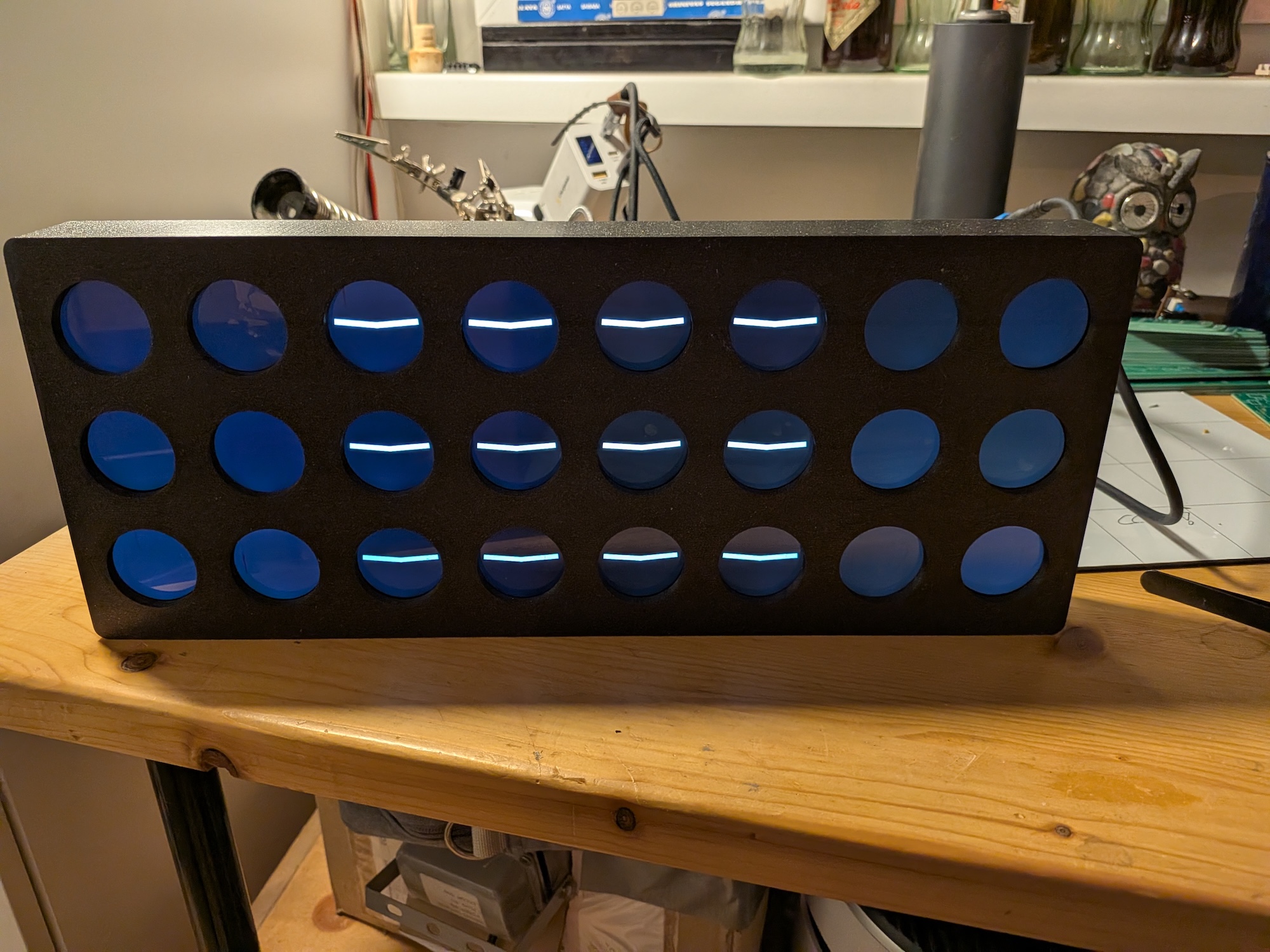
Twenty-four 1.28″ round panels on eight XIAO ESP32-S3 boards — one board per
column of the wall, three panels each. Evenly spaced across all 24, so
HH:MM reads as a single continuous field of clocks, which is the original’s
whole point.
One board has Wi-Fi and SNTP and broadcasts the time down a one-wire UART bus; the other seven listen. That is what keeps 24 clocks on the same millisecond — and it means only one board is ever reflashed to change what the wall does.
| Cost | €207 – €374 for the whole wall |
| Size | ≈ 27 × 13 cm, 730 g assembled |
| Effort | A project. One custom PCB, 24 panels to mount, 8 boards to flash |
| Status | Running on hardware — all eight boards built |
→ The full build — costed BOM, carrier PCB and gerbers, wiring, assembly order, bring-up and power.
The cheap way in
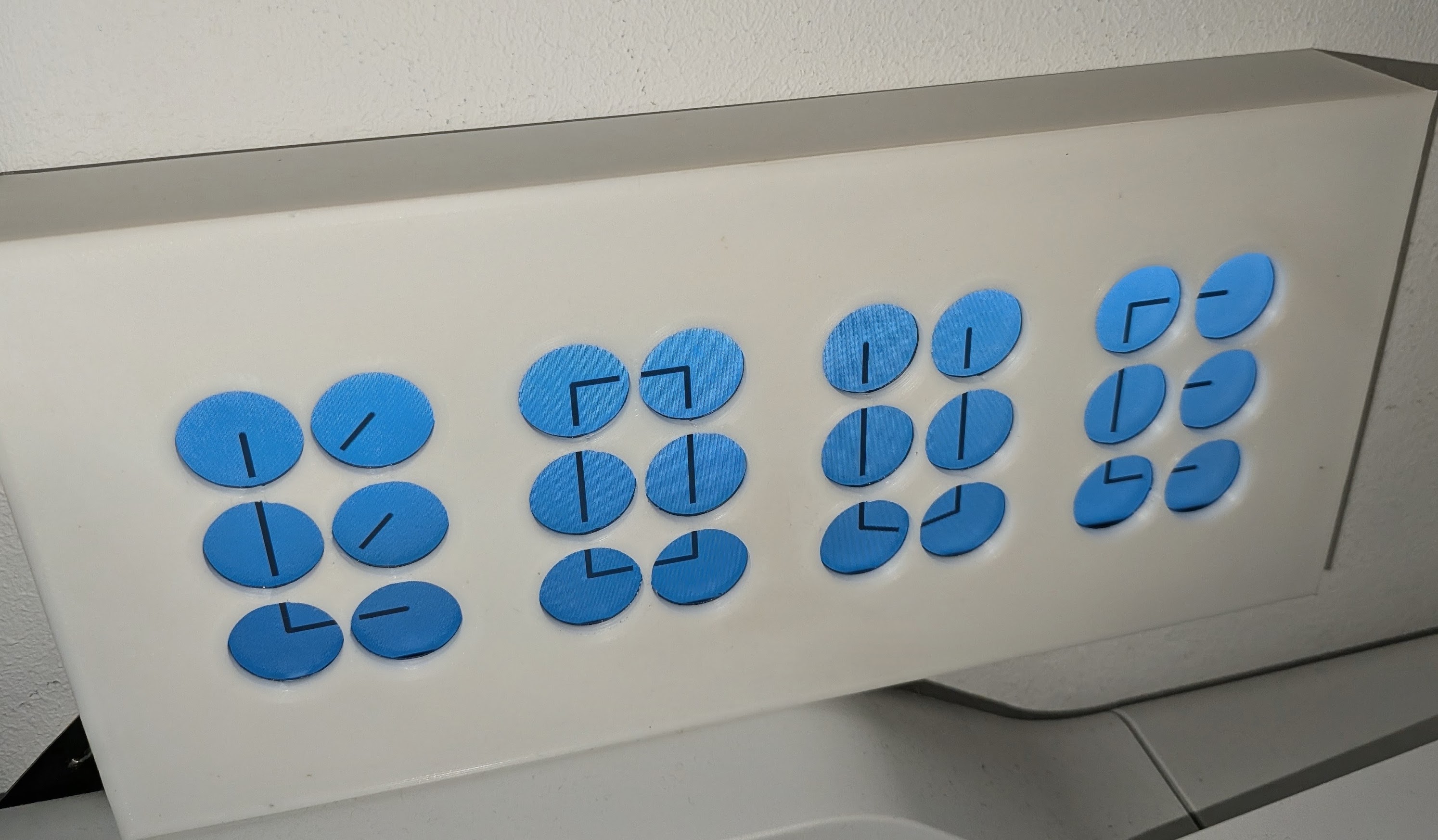
A printed mock-up of the layout — four digit blocks, and the gaps between them.
The same clock on four rectangular panels and two boards. Each panel draws a whole digit rather than one mini-clock, so it is a sixth of the displays and an afternoon rather than a project. The trade is the gaps: four blocks of six instead of one grid of 24.
Roughly €70 – €160, ≈ 17–20 × 6–7 cm. Builds and validates; untested on hardware.
What it does — the modes
Telling the time is the easy part. Every minute the wall breaks into a choreography for 35 seconds and then sweeps back:
wave |
Each clock is one stroke; the turn rolls across the wall left to right, holding a fixed 15° fan |
wind |
A column is one stalk. A gust shears its two free ends past each other while the middle stays put |
rotating_maze |
A chevron lattice that eases almost to a stop every time it lands on an aligned figure |
zipper |
A front runs across a field of diagonals, unzipping each column into mirrored chevrons |
mirror_wave |
Vertical strokes scissor open, mirrored about the centre, spreading outwards |
spiral · flying_birds · love · temp |
…and the rest |
And a pattern is a twelfth thing the wall can do that is data rather than code — 24 poses and motions you draw yourself, sent over the network with nothing compiled.
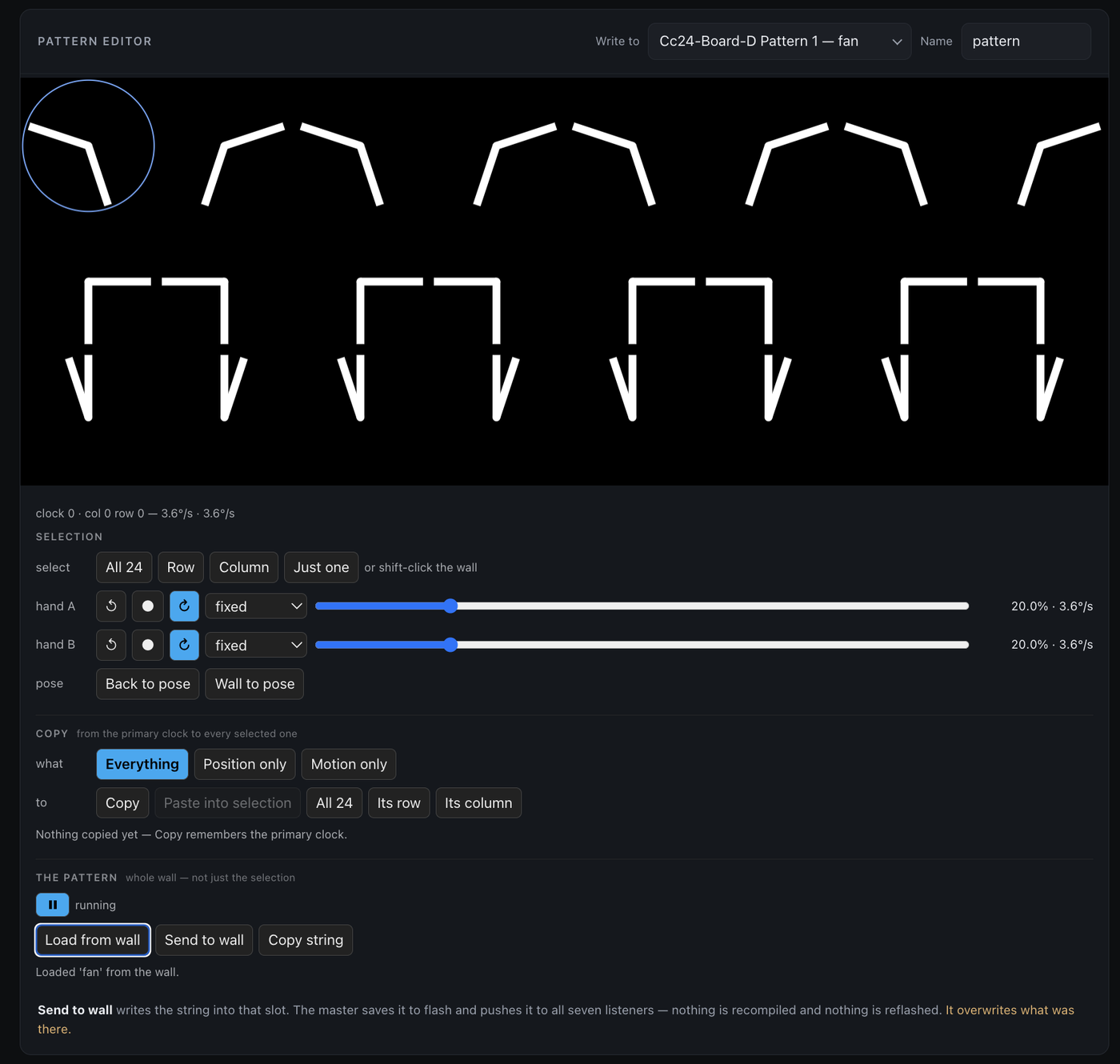
↑ The pattern editor, editing fan after pulling it back off the wall with
Load from wall — the slots are read as well as written, so a pattern already
running is a starting point rather than something you had to keep a copy of.
One rule holds everywhere: it is an analogue clock, so it cannot jump. Every mode is a continuous function of time, and there is a regression check that drives all of them through their whole lifecycle to prove it.
The component underneath
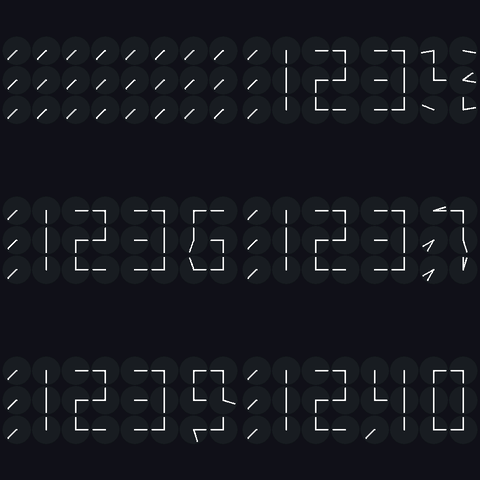
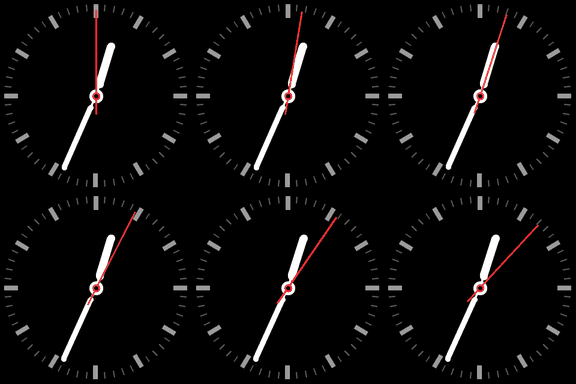
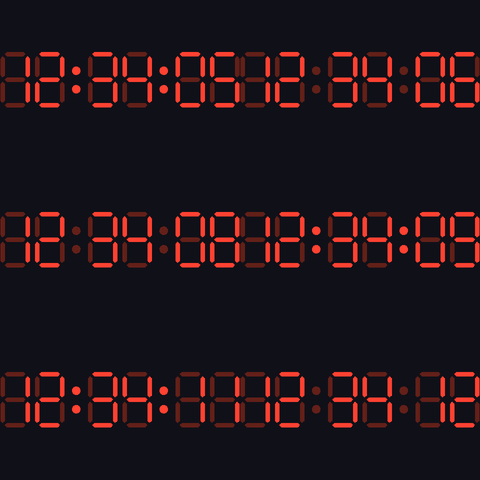
All of this is one ESPHome LVGL widget,
lvgl_clock. It draws a whole ClockClock
24 on a single screen out of the box — partial: is what slices the same
24-clock choreography across many displays instead. It also does four other
clock styles, if you just want a clock on a panel:
→ Component reference ·
examples/ — ready-to-flash single-board configs ·
Writing a choreography in code